Trash and undo
Deleted files go to a trash on the same share first, so a wrong F8 costs nothing.
Delete
- Mark the files.
- Press F8 or Del.
- Leave Into the trash on and confirm.
With the switch off the files are gone at once. File > Delete for good does the same without asking about the trash.
Get a file back
- Choose Go > Trash, or click Trash in the sidebar.
- Find the file. The list shows where it came from, who deleted it and when.
- Click Restore. It goes back to its old place.
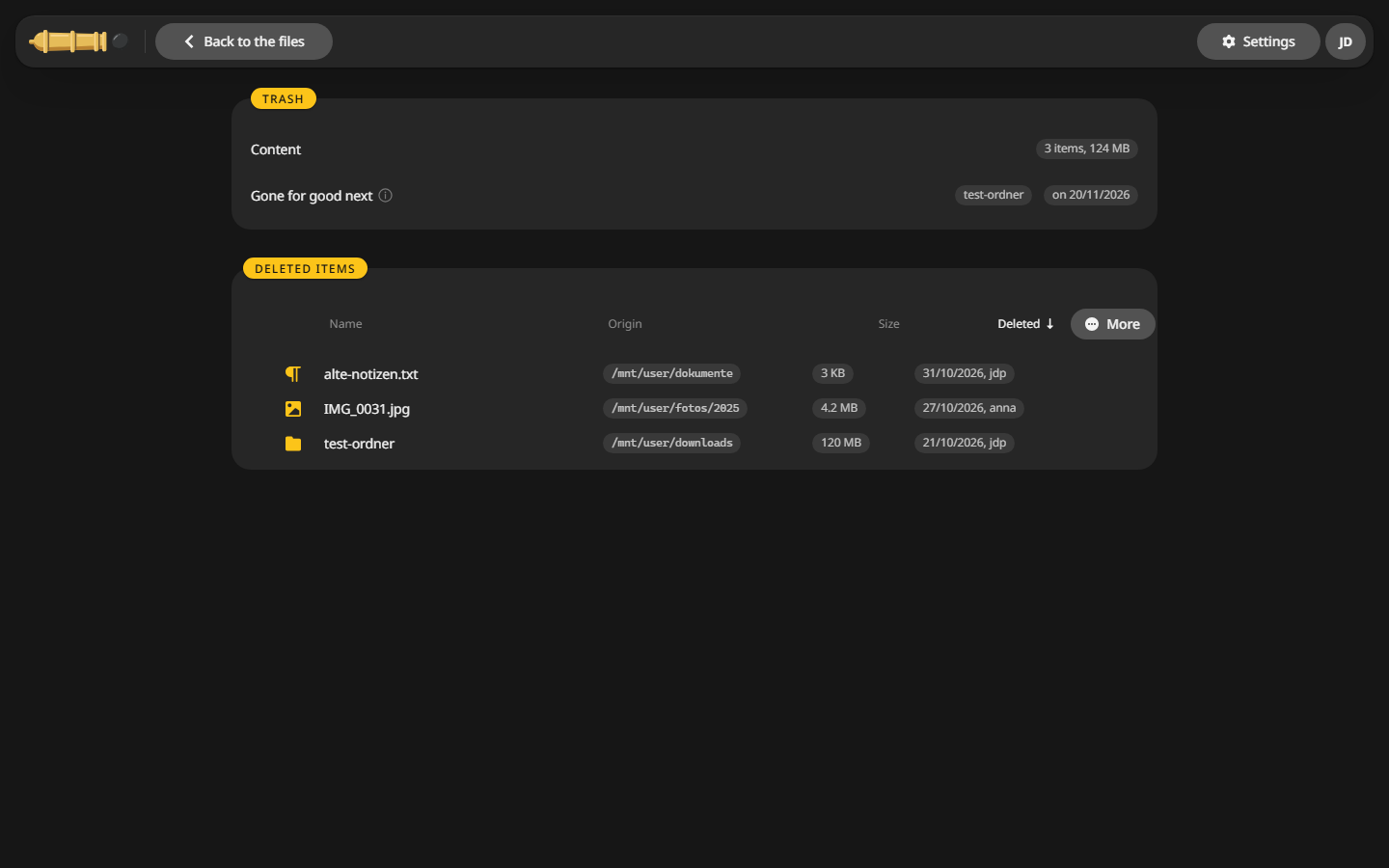
Mark several and use Restore selection, or Empty the trash to free the space.
How long things stay
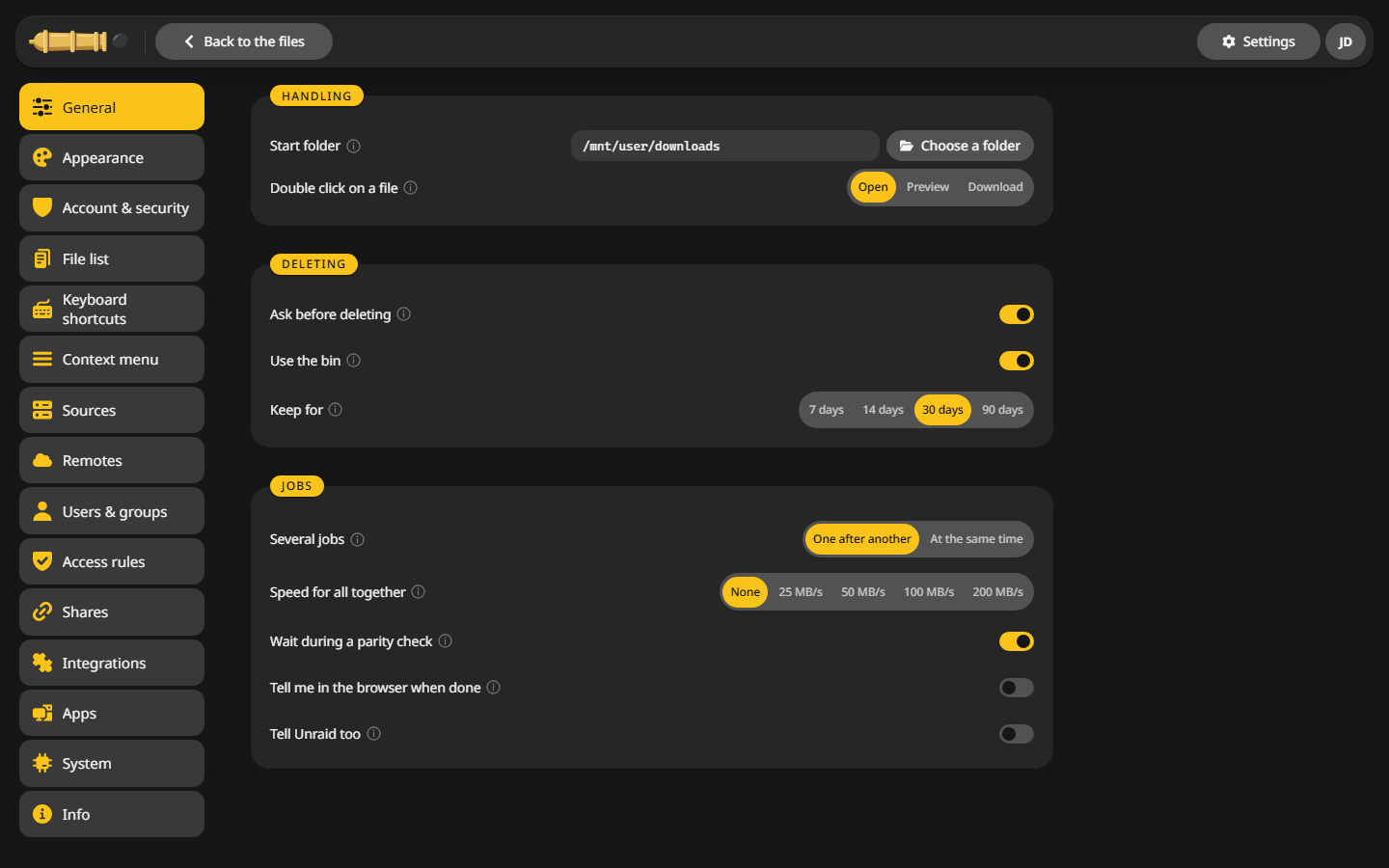
Everything in the trash is removed for good after 30 days. Change that under Settings > General > Deleting, to 7, 14 or 90 days. Ask before deleting and Use the bin live there too.
In the desktop app CannonCommander uses the system's trash instead, the Recycle Bin on Windows.
Undo
Ctrl+Z takes back the last rename, new folder, copy, move or delete. Edit > Recent actions lists the last ones, so you can pick an older one.