Folders
What the container maps
| Container path | What it holds |
|---|---|
/config |
config.yaml, the database with users, settings, jobs and the index, the thumbnail cache and rclone's configuration |
/mnt |
Your user shares, disks and pools, at the same paths as on the server |
/var/local/emhttp |
Read only. Unraid's live view of the disks, pools and shares |
/boot/config |
Read only. The settings of each share, read for placing files and for the Unraid permissions |
Everyone works in the user shares under /mnt/user. The disks and pools are for admins alone. Where a file lies, the other names of a hard link and moving a folder onto one disk work right away.
On Unraid the access mode of /mnt is RW/Slave, so disks and pools mounted later show up too.
Sources
A source is a folder CannonCommander shows at the top of the folder tree, with an index for fast search. Settings > Sources lists them:
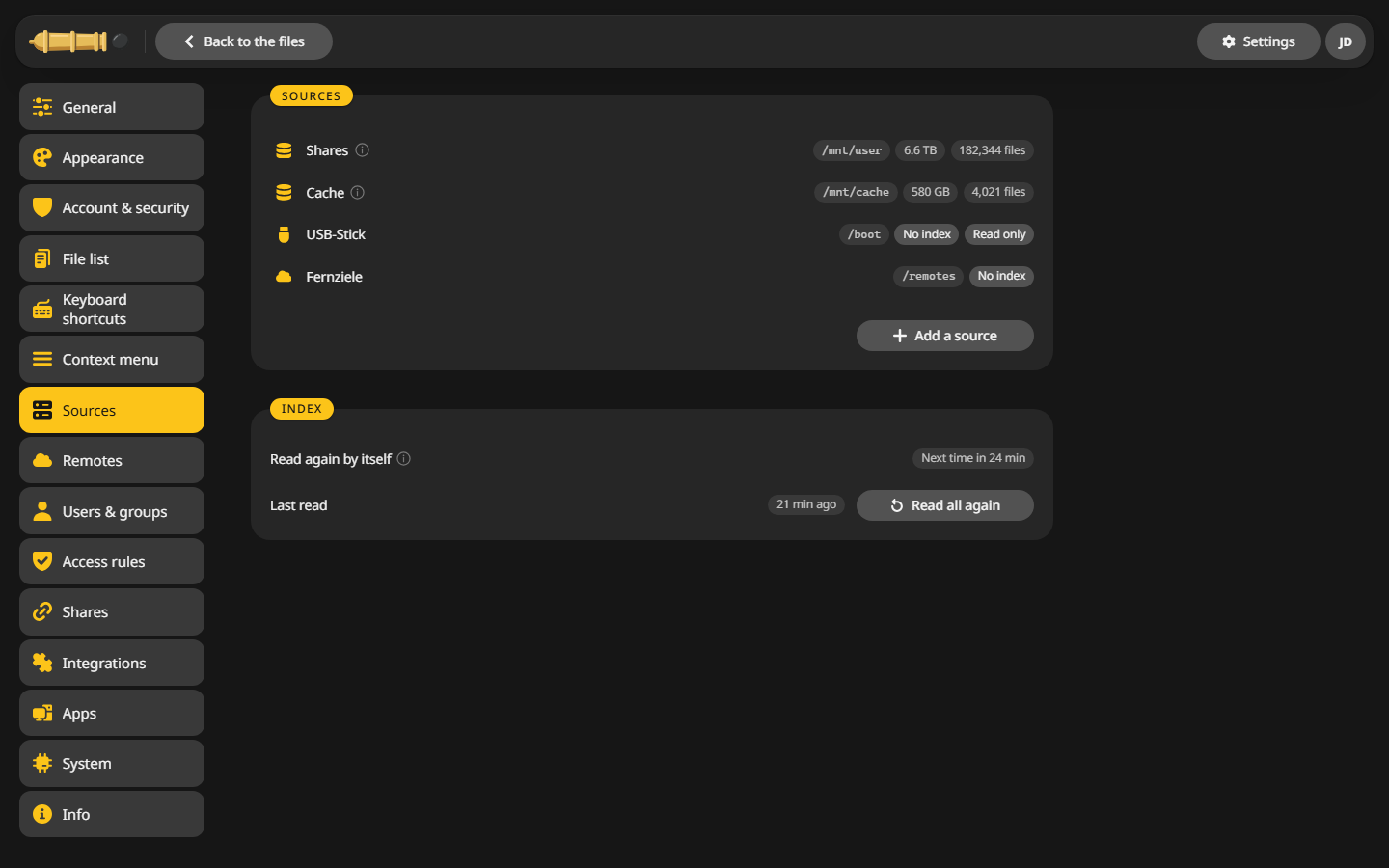
Add a source
- Click Add a source.
- Give it a Name, such as Disk 3, and pick the Folder.
- Choose whether to Read in for search, and which names to leave out, such as
cacheor*.tmp. - Switch on Read only if nobody, admins included, should change anything there.
- Restart CannonCommander when the page asks for it.
To browse a single disk or pool, add it here, such as /mnt/disk3.
On other servers
CannonCommander starts with /mnt/user. On a server without that folder, add your own folders here, such as /srv/data, after mapping them into the container.
The desktop app
The desktop app starts with your home folder. On Windows every drive is a source, on a Mac your home folder and /Volumes, on Linux your home folder and whichever of /media, /run/media and /mnt exist. Settings > Sources changes that list.