Copy and move
Copies, moves and deletes run as jobs on the server. You keep working, and the job keeps going when you close the page.
Copy files to the other panel
- Open the target folder in one panel and the files in the other.
- Mark the files. See Marking files.
- Press F5 to copy or F6 to move.
- Check the window and click Copy.
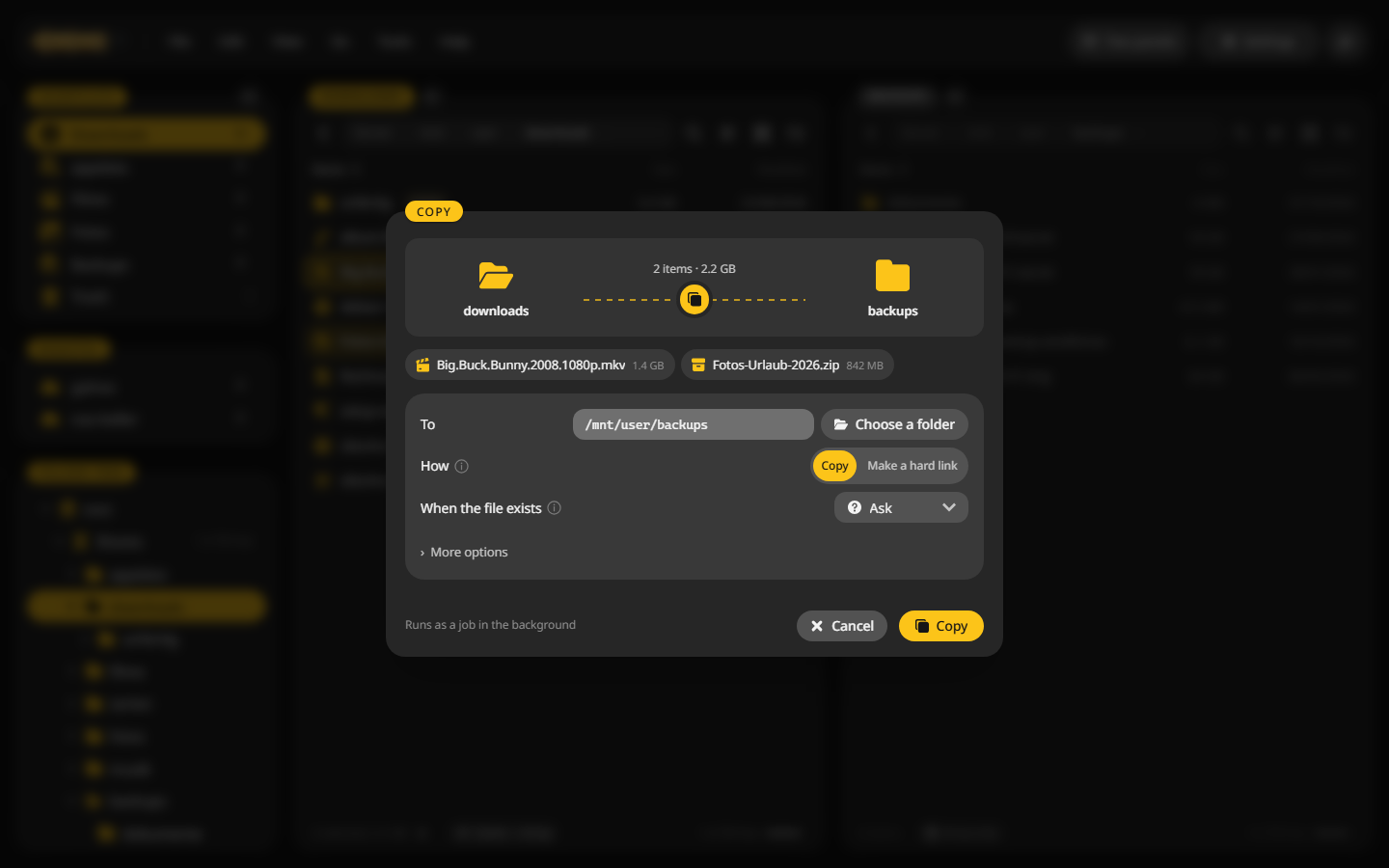
The window offers:
- To: the target. It starts with the other panel's folder.
- How: a normal copy or a hard link. A hard link is a second name for the same file and takes no space. It works when source and target are on the same disk or pool.
- When the file exists: Ask, Skip, Replace, If newer or Keep both. With Ask you decide per file.
- More options: keep permissions and timestamps, and check the copy against a checksum afterwards.
Dragging files from one panel to the other works too, and so do Ctrl+C, Ctrl+X and Edit > Paste.
Follow the jobs
Tools > Jobs or Alt+4 shows what runs.
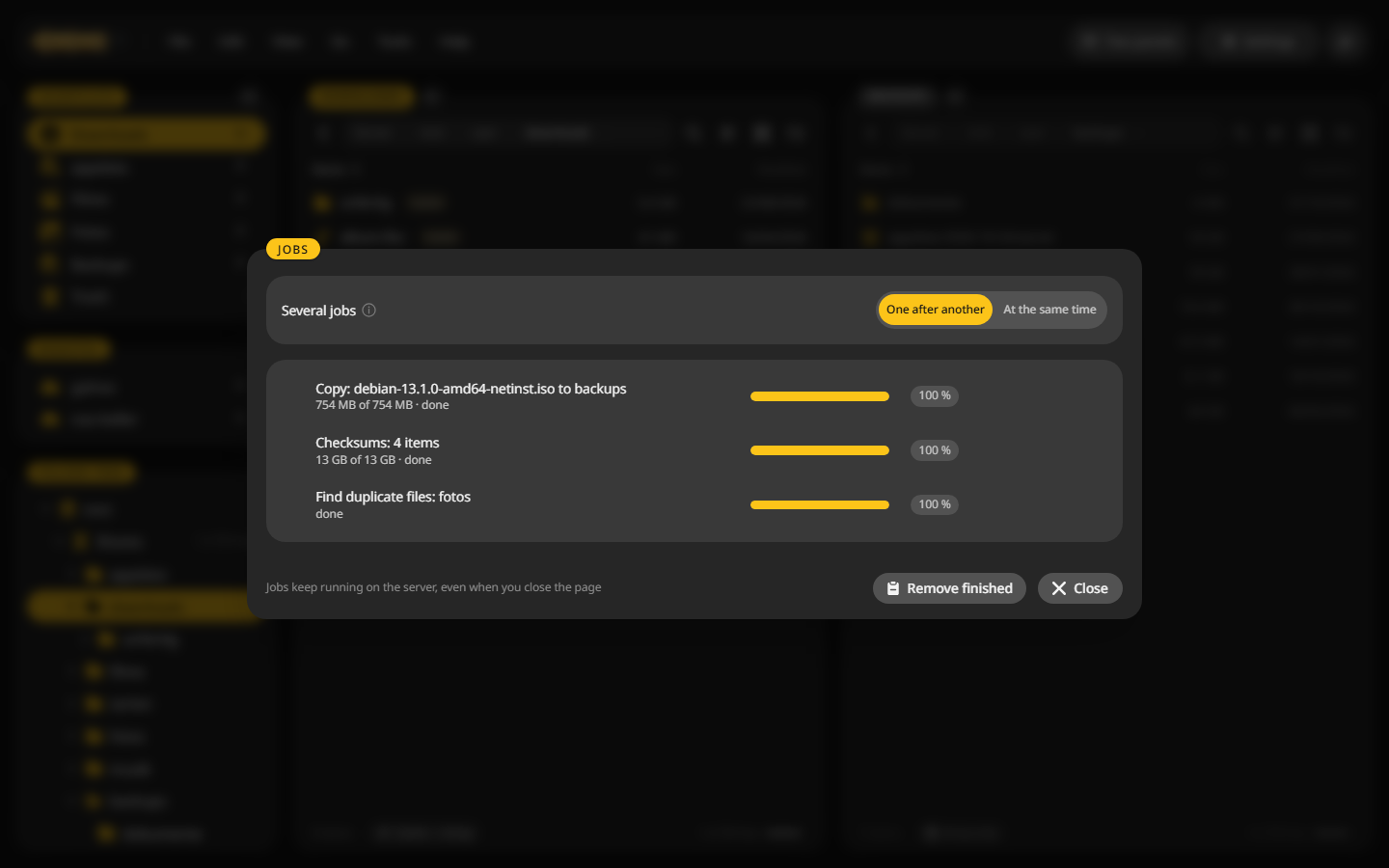
For each job you can:
- pause and resume it,
- limit its speed,
- cancel it, or retry it after an error,
- change the order with the arrows or Alt+Up and Alt+Down.
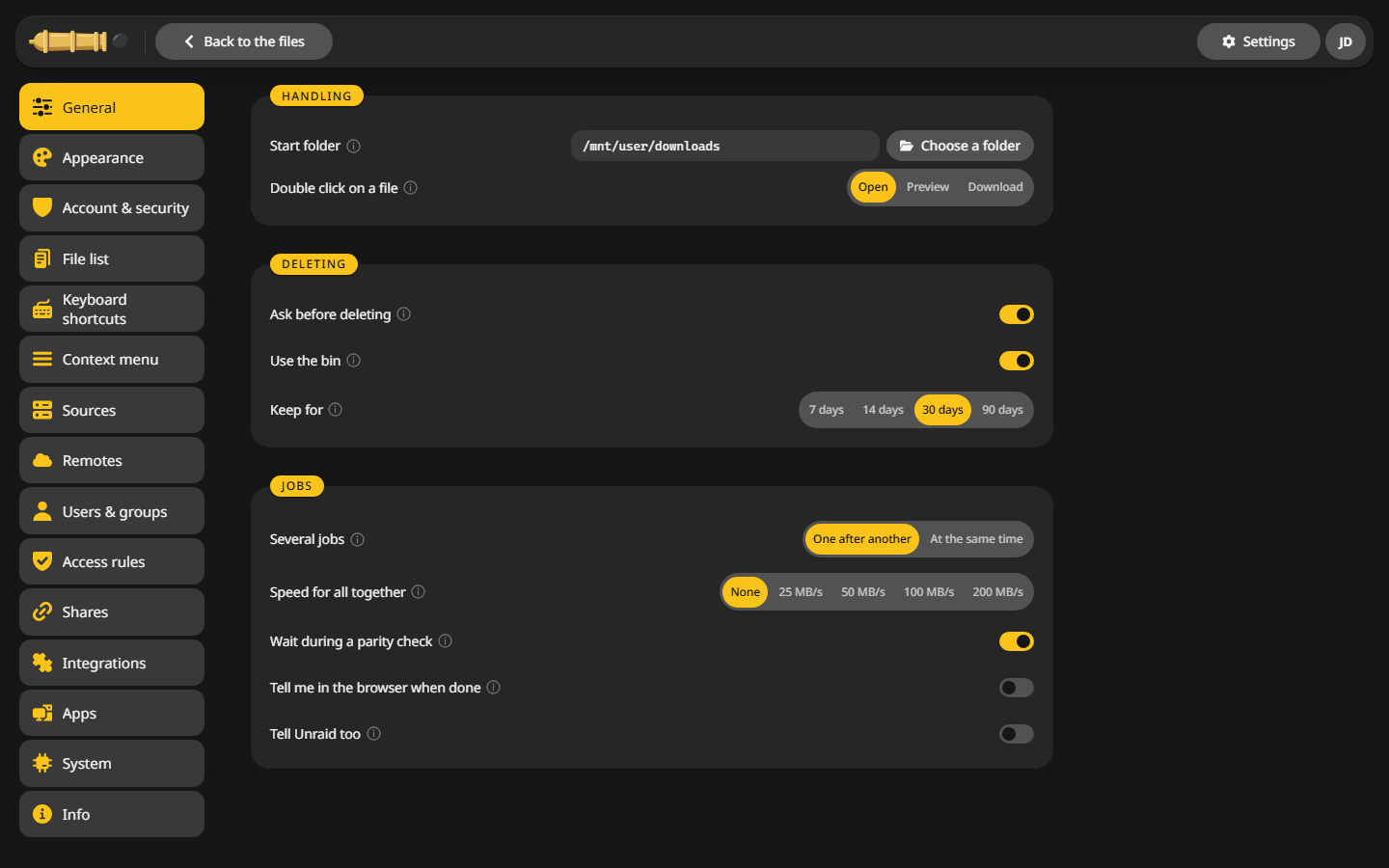
Several jobs decides whether they run one after another, which is kind to the disks, or at the same time. A speed limit for all jobs together sits under Settings > General, next to a note in the browser or in Unraid when a job is done.
Jobs pick up again after the container restarts.
Unraid's own checks
Before a copy starts, CannonCommander checks what Unraid would do:
- Parity check running: it asks whether to copy now or wait until the check is done. Wait during a parity check under Settings, General makes waiting the rule.
- Not enough room: when no disk of the share has space above its minimum free space, it says so before the copy would stop halfway.
- Disk share and user share: copying between
/mnt/disk1/xand/mnt/user/xwould cut the file to 0 bytes. CannonCommander stops that and offers a safe way.
Undo
Ctrl+Z takes back the last rename, copy, move, new folder or delete. Edit > Recent actions lists the last ones to pick from.