Other Docker hosts
Any Linux server with Docker runs the same container as the Unraid template.
With Docker Compose
- Make a folder for it and download compose.yaml into it.
- Set
PUIDandPGIDto the user who owns your files.idon the server shows them. -
Start it:
-
Open
http://<your server>:8480.
With docker run
docker run -d --name cannoncommander -p 8480:80 \
  -v /path/to/appdata:/config \
  -v /mnt:/mnt \
  -e PUID=1000 -e PGID=1000 -e UMASK=022 \
  --device /dev/fuse --cap-add SYS_ADMIN \
  --cap-add DAC_READ_SEARCH --cap-add DAC_OVERRIDE \
  --security-opt apparmor:unconfined \
  junkerderprovinz/cannoncommander:latest
Where your files show up
CannonCommander shows the folders below /mnt/user, the way Unraid lays out its shares. On another server you have two choices:
- Keep your folders below
/mnt/useron the host, or - add your own folders under Settings > Sources, or change the source in
/config/config.yaml.
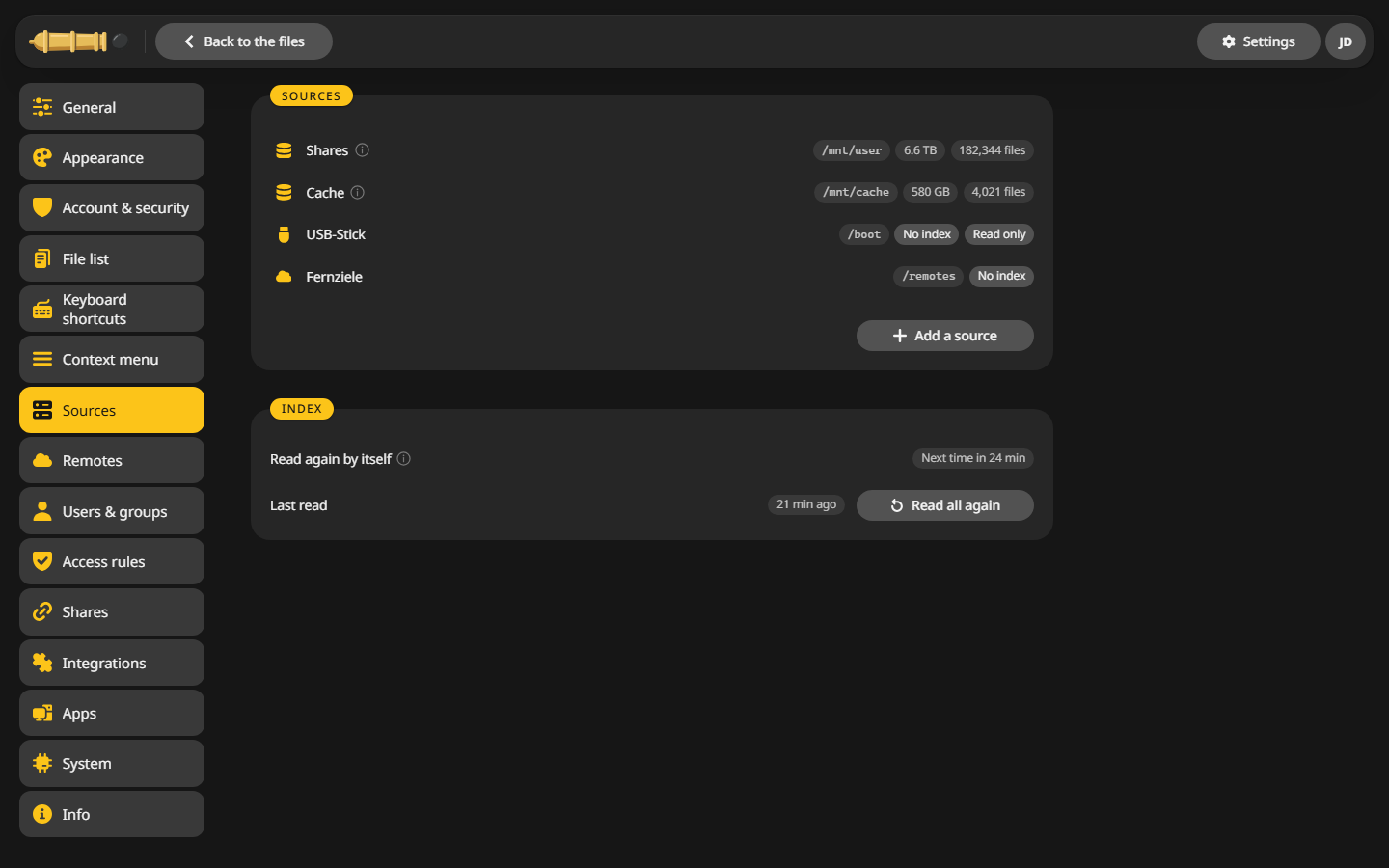
More on this under Folders.
Without FUSE
Without --device /dev/fuse and SYS_ADMIN everything works except mounting remote storage. On Debian and Ubuntu, Docker's AppArmor profile blocks FUSE mounts, which is what apparmor:unconfined is for.
The Docker socket
Add -v /var/run/docker.sock:/var/run/docker.sock, or uncomment that line in compose.yaml, and CannonCommander finds unused Docker leftovers for the storeroom and the office servers running next to it. The socket controls every container, so only map it if you trust everyone with an admin account.
Then set a password: First start.