API tokens
Scripts, WebDAV clients and other programs sign in with an API token instead of your password. A token can be limited to reading, and it never does more than you may.
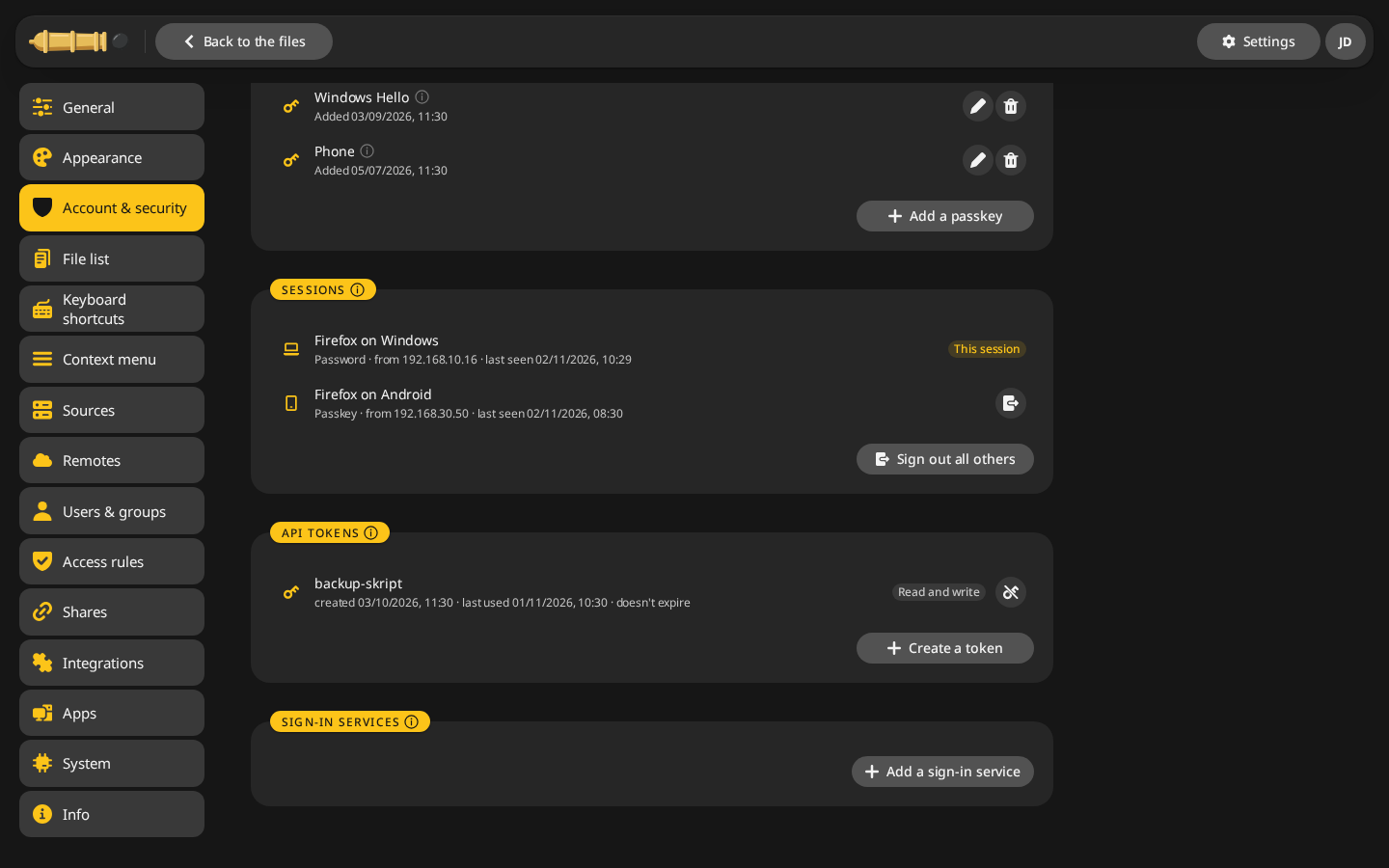
Create a token
Tokens work before CannonCommander has a password too. A token made then stands for the admin and ends once CannonCommander asks for a sign-in, after the first password or the first sign-in service, and its row says so.
- Open Settings > Account & security and scroll to API tokens.
- Click Create a token.
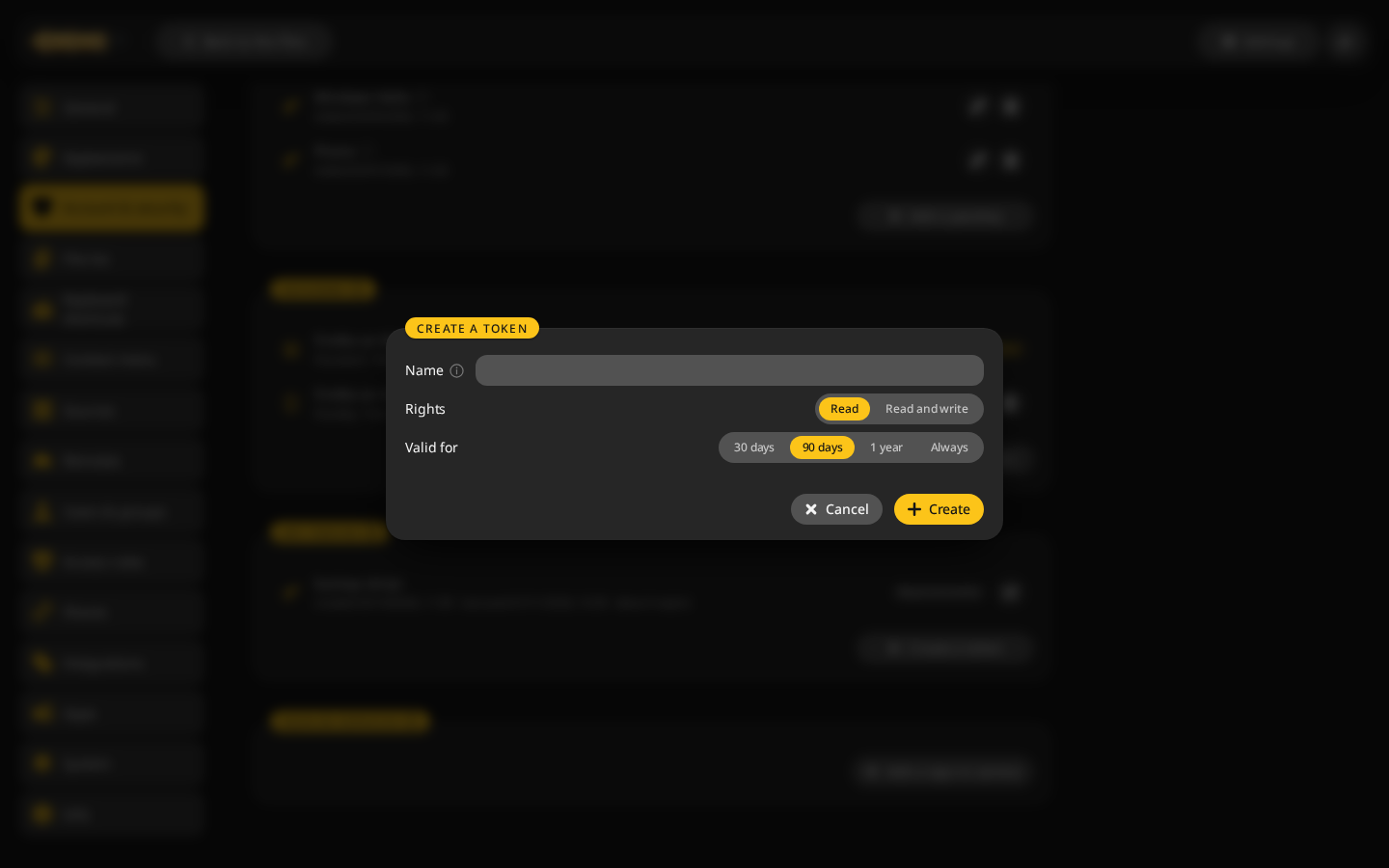
- Give it a Name, such as
backup-script. - Pick the Rights: Read, or Read and write.
- Pick how long it is Valid for: 30 days, 90 days, 1 year or always.
- Click Create. If your sign-in is older than a few minutes, CannonCommander asks for your password first.
- Copy the token. It is shown only this once.
Use a token
Send it in the Authorization header:
The full API description is served at /api/v1/openapi.yaml.
For WebDAV, use the token as the password.
What a token may do
A token acts as you, with your role, your area and your access rules. A read-only token can look and download, nothing else. Tokens never get a terminal.
Revoke a token
Click Revoke next to the token. Programs using it are turned away at once. An admin can see and revoke the tokens of every user in their window under Settings > Users & groups.
A password reset through the container log ends every token, see Forgot the password.