Search
Two kinds of search: a quick filter for the folder you are in, and a full search across the server.
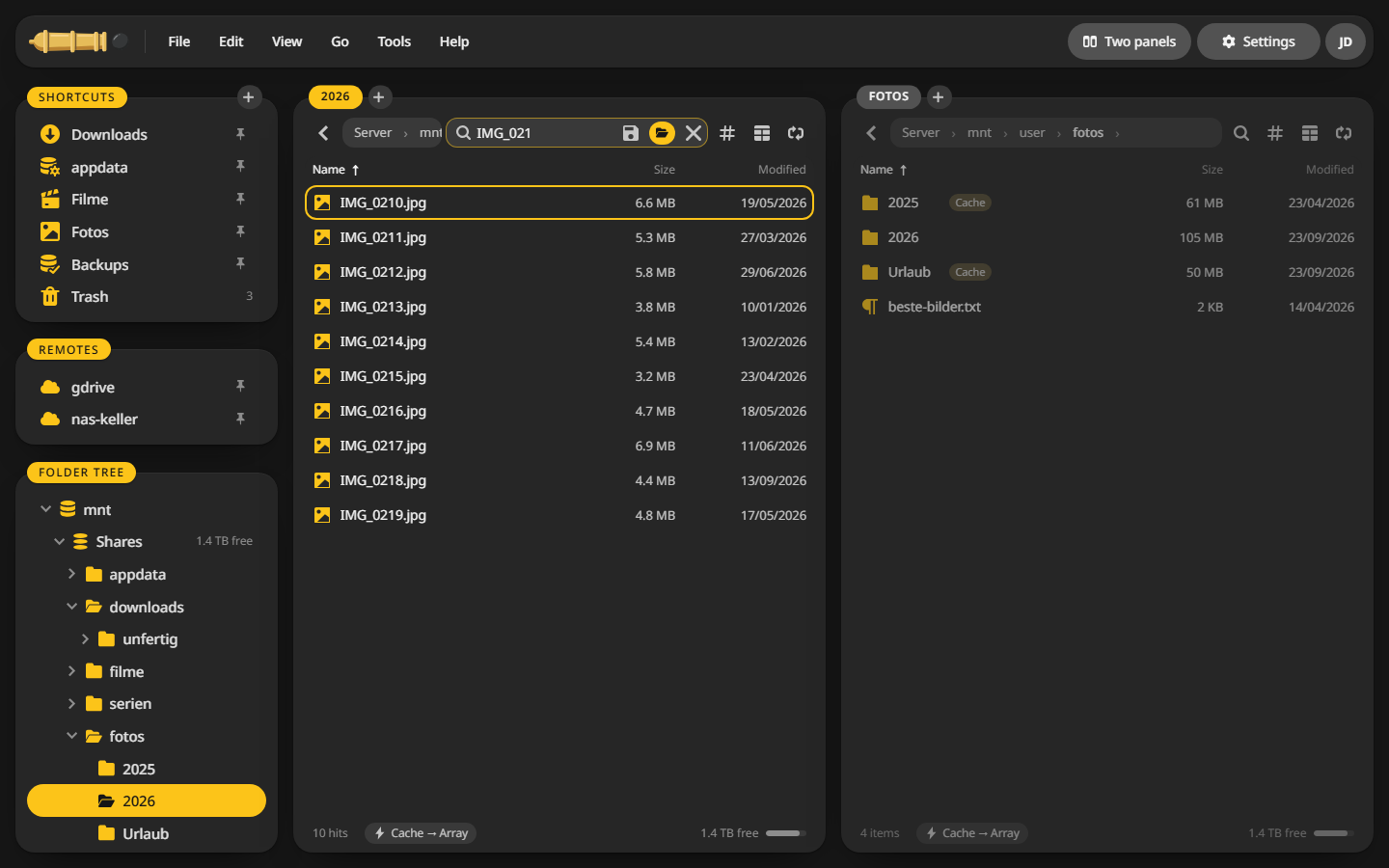
Filter the current folder
- Press / or Ctrl+F.
- Type part of a name. The list shrinks as you type.
- Esc shows the whole folder again.
Search the server
- Press Alt+F7, F9 or Ctrl+E.
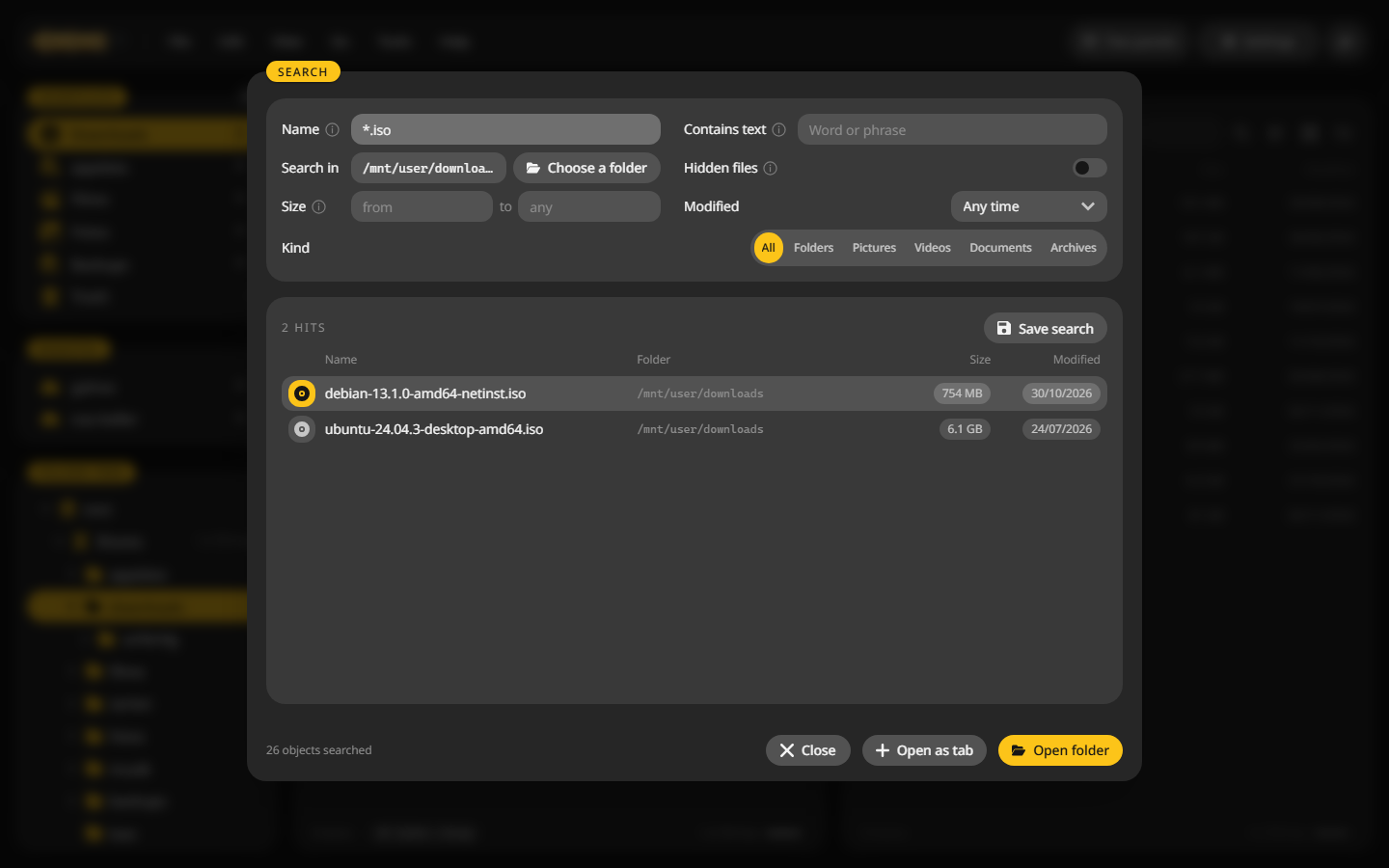
- Fill in what you know:
- Name: patterns such as
*.iso *.img, or part of a name.*stands for any number of characters,?for one. - Contains text: a word inside text and source files.
- Search in: the folder to start from.
- Size, Modified and Kind narrow it down.
- Name: patterns such as
- Press Enter. The hits show up in the window.
- Open as tab lists the hits in a panel, where you can copy, move or delete them like any folder.
Search by field
The search field in the panel understands more than names. Click into it and its menu shows examples:
| Type | Finds |
|---|---|
*.mkv |
Every MKV file |
IMG_????.jpg |
IMG_ and four characters |
#Steuer |
Files with the tag Steuer |
width:>=3840 codec:hevc |
4K videos in HEVC |
modified:<7d |
Files changed in the last week |
Width, height, codec, artist, camera, size, modified, duration and every column name work as a field.
Saved searches
Save this search puts the search into the menu of the search field. Clicking it later always shows the current hits.
The index
Search and folder sizes are fast because CannonCommander keeps an index of each source. It reads busy folders more often and quiet ones less often, between every 5 minutes and every 12 hours, so files other containers change show up too.
Settings > Sources shows each source with its files and when it was last read. Read all again starts a fresh read.
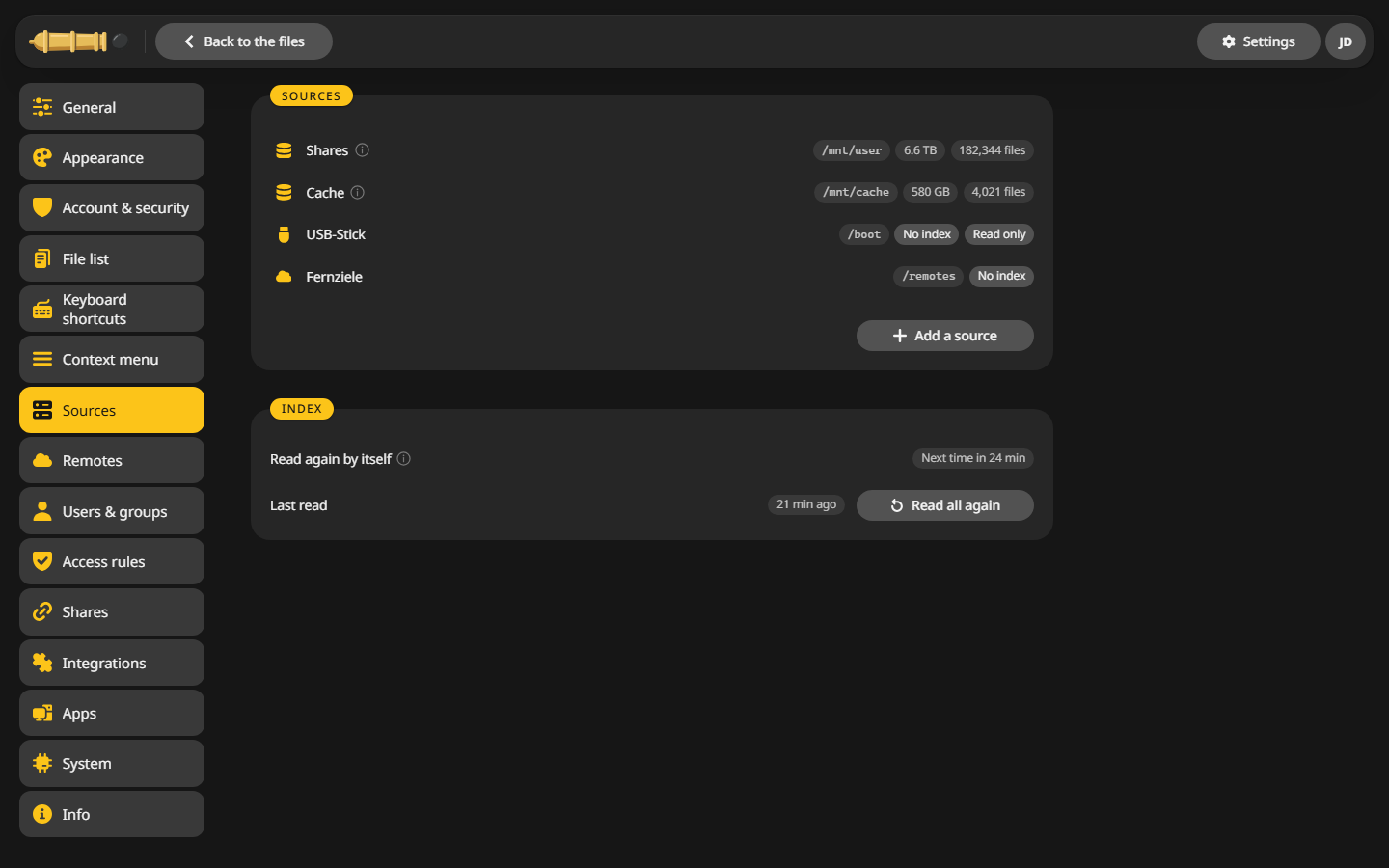
Disks and pools are never indexed, so a sleeping disk stays asleep.