Desktop app
CannonCommander also runs as a program on Windows, macOS and Linux, with the same interface in a window of its own, for the files on your own computer.
Install it
- Download the universal zip and unzip it.
- Move CannonCommander into Applications.
- The app is not signed by Apple. At the first start, right click it and choose Open.
- The installer for x64 or ARM. Make it executable and run it.
- The Flatpak for x64 or ARM.
- The AppImage for x64 or ARM. It brings GTK and WebKitGTK along and starts on Ubuntu 22.04 and anything newer. Make it executable and start it from wherever you keep it. Its helper programs go into a
modulesfolder next to it. - A zip on the releases page that runs from any folder.
The first start
A welcome window asks once whether you want one window or two:
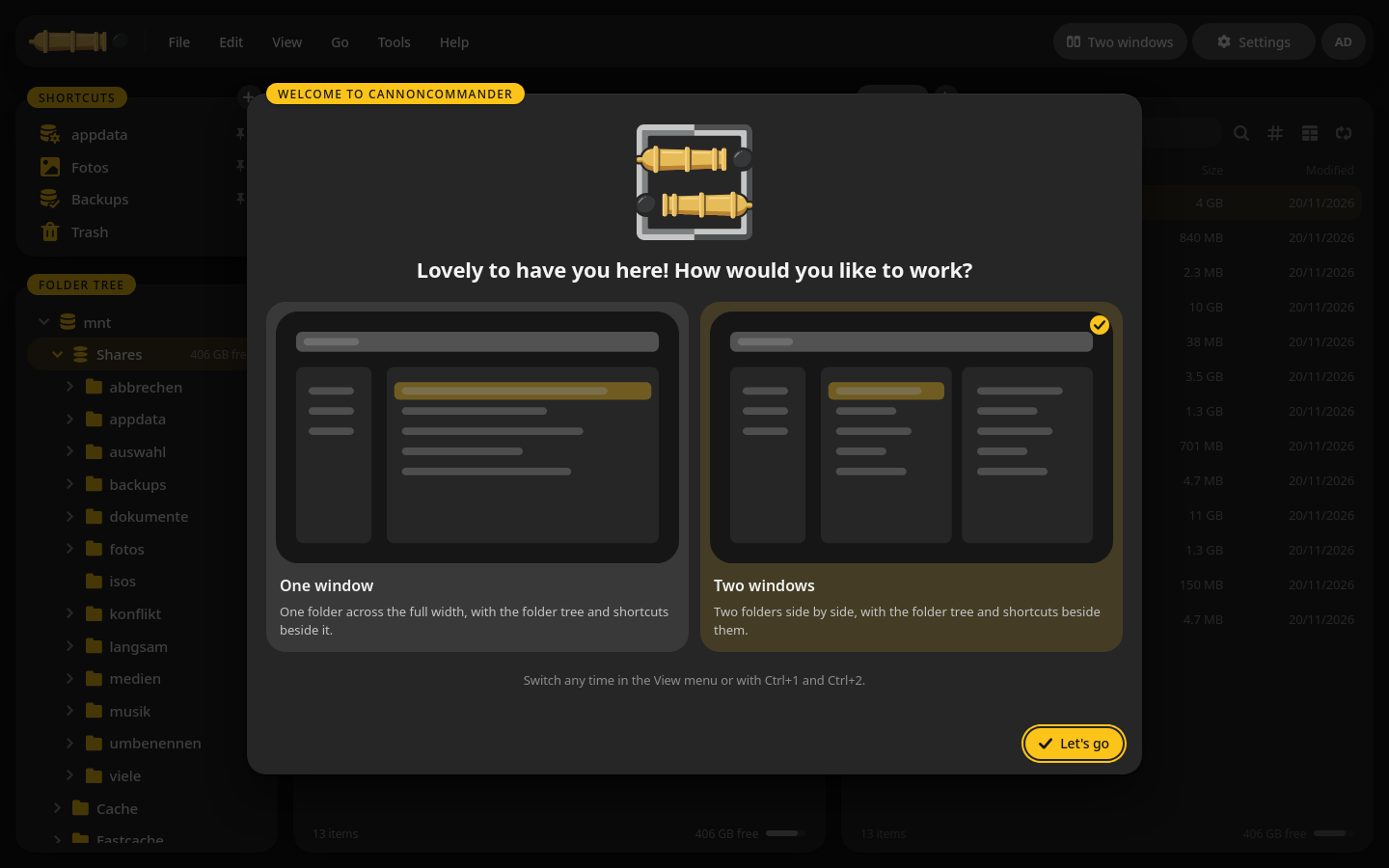
- One window: one folder across the full width, with the folder tree and shortcuts beside it.
- Two windows: two folders side by side.
Each brings the keys that go with it, which you can change any time under Settings > Keyboard shortcuts. Help > Welcome window shows the choice again.
What is different from the server
- The panels open in your home folder. Which drives show up is explained under Folders.
- There is no sign-in. The app's server listens on 127.0.0.1 only and answers its own window and nothing else on the computer.
- So the settings leave out the account, users, access rules and share links.
- Remote storage stays with the server.
- Deleting uses your system's trash.
- Typing
cmd,terminalorpowershellinto the path field opens your computer's terminal, see Terminal. - On Windows and Linux it can become the default file manager, so folders from other programs open in it.
Updates
Once a day the app looks for a new release, checks the download against the release's checksums and puts it in place for the next start. An AppImage replaces its own file. Switch that off under Settings > Info.
Helper programs
The app brings ffmpeg for thumbnails and videos, 7-Zip for 7z archives and MuPDF for PDF pages. On Windows and Linux they come as a download of their own, which the installer fetches and every update renews. A Mac has them inside the app. If one goes missing, Settings > Info fetches it again.
To pack RAR archives the app uses WinRAR, or rar on Linux, when it is installed. The Windows build does not show PDF thumbnails yet.
Where it keeps its data
The configuration, the database and the log live in a CannonCommander folder:
| System | Folder |
|---|---|
| Windows | %APPDATA%\CannonCommander |
| macOS | ~/Library/Application Support/CannonCommander |
| Linux | ~/.config/CannonCommander |