Anomalies
Ransomware and a broken app look alike in a backup: suddenly most of the data is new, or most of it is gone. BombVault compares every backup with that entry's own history and raises a finding when something looks wrong. While a finding about lost data is open, it also keeps the entry's old backups, so the last good one cannot age out. The Anomalies entry in the sidebar shows while detection is on.
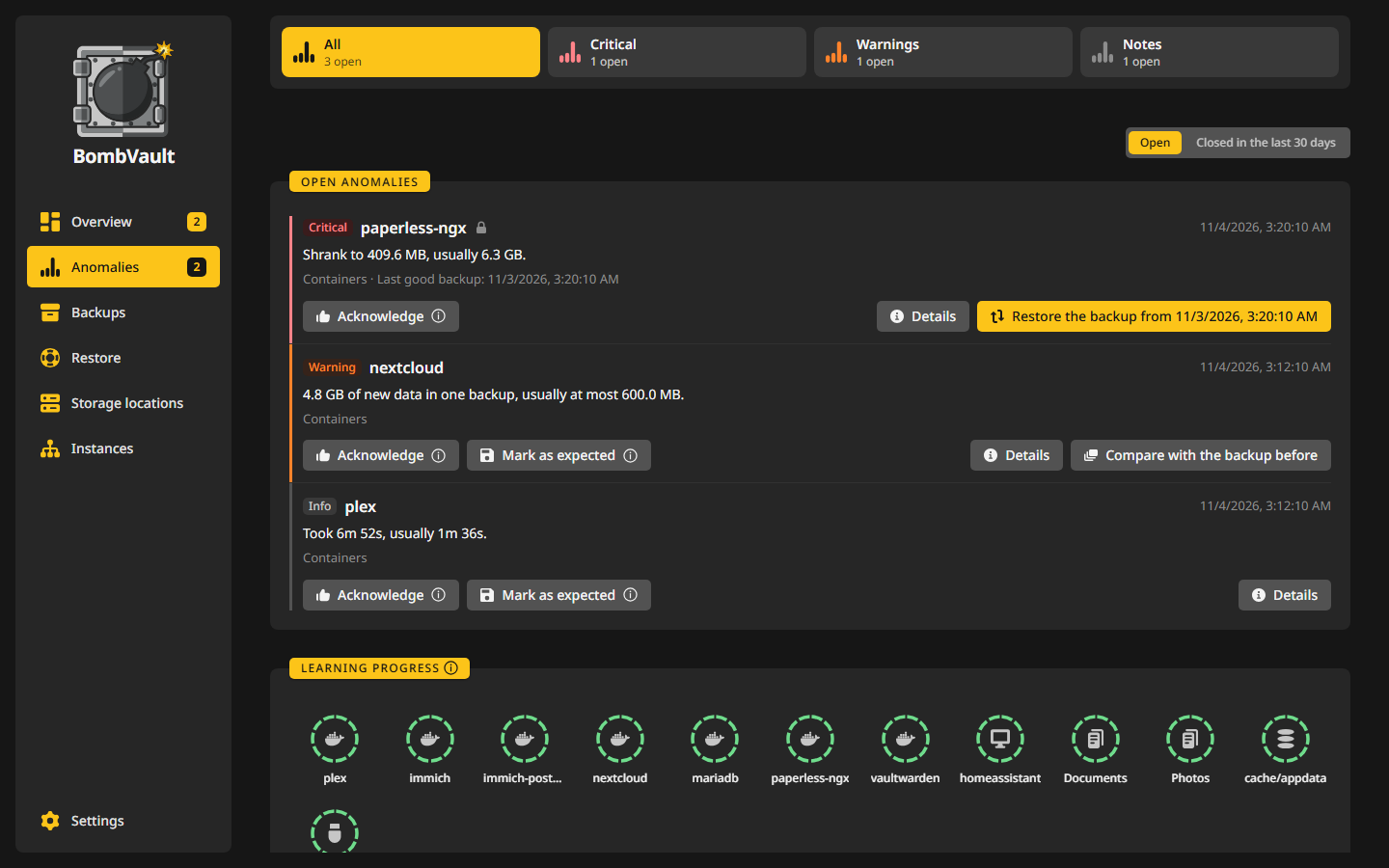
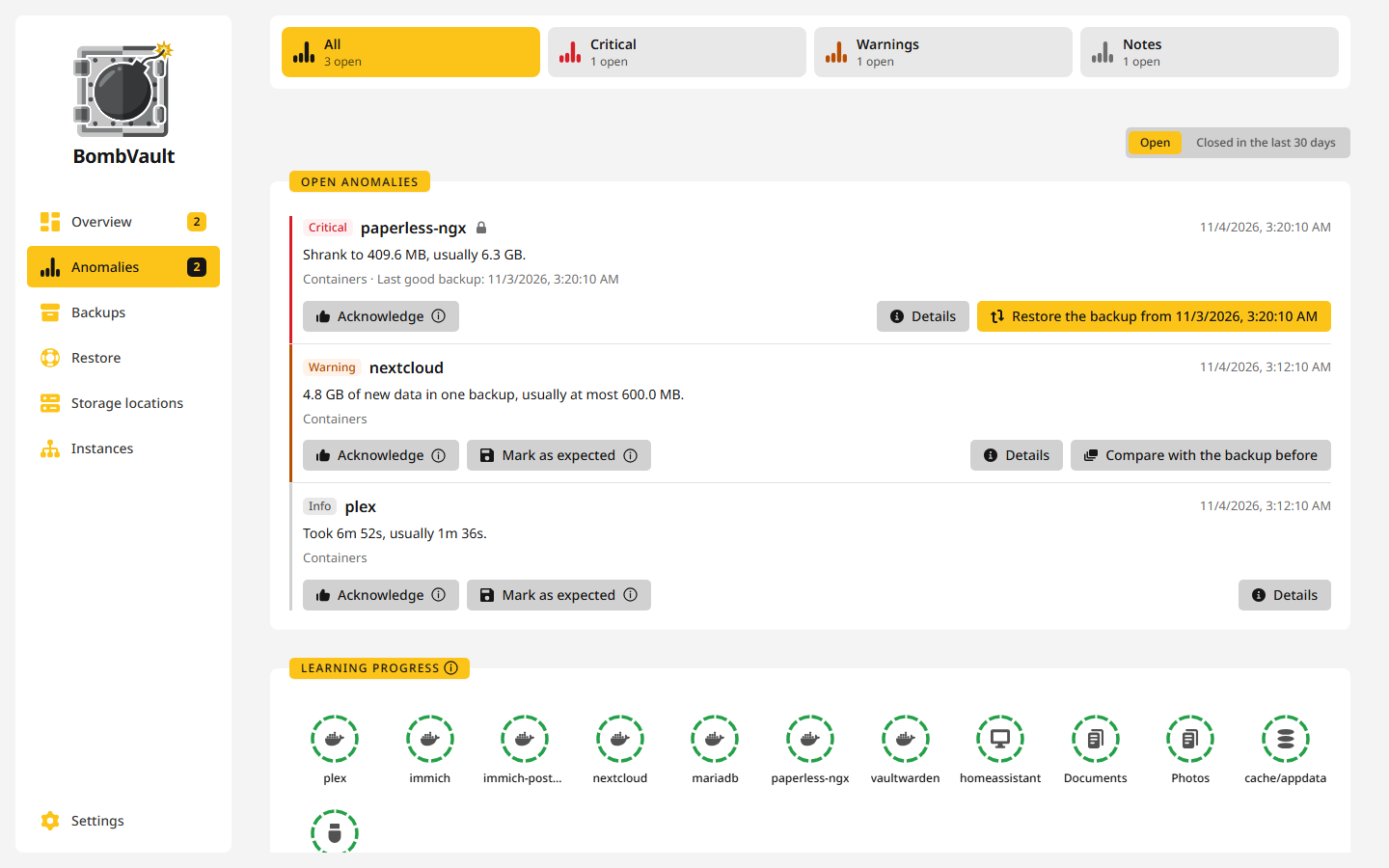
The page
Tiles for Critical, Warnings and Notes pick a severity, and Open and Closed above the list switch between what is open and what closed in the last 30 days. A critical finding sits on the same surface as the others, and its severity shows in its badge and its coloured edge. A finding offers its fix first, and its details show the value as a curve over the usual range.
When nothing is open, Learning progress shows a ring of ten parts per entry, one part for each backup BombVault learned from. Monitoring opens the list of entries with their own settings.
What it checks
Every backup of a container, VM, folder set, database dump, the flash drive and the self-backup is compared with the entry's own history. The checks look at:
- the new data a run stored, against the largest usual amounts of recent backups and against the usual rate per hour,
- a backup that stored most of the data again, which includes files that were renamed and rewritten,
- the source size and file count restic reports for each entry and each database dump,
- restic's own backup time,
- failure streaks and intermittent failures,
- restore checks that stopped passing,
- the free space of local, SFTP and rclone repositories, projected from the repository's growth.
An entry learns from its first 10 backups. An almost empty source, a rewrite of most of the data and failures are checked from the start.
A finding about the size or file count of a source is dated to the first backup it showed in. Compare with the backup before lists the folders where files went away, came in or changed, with a note when nearly all of it sits in a search index, a cache or thumbnails that the app rebuilds by itself.
ZFS entries are watched dataset by dataset, see ZFS datasets. An assistant can read the open findings through the MCP server.
The checks have limits. S3, B2 and REST repositories have no free-space figure, on the Unraid user share the free space is that of the whole array, and backups made before restic 0.17 carry no size history.
Closing a finding
- Warnings close by themselves once the cause is gone.
- Critical findings about lost data and a filling disk stay until you act.
- Acknowledge marks a finding as seen and closes it. It is not raised again until its cause has gone away once.
- Mark as expected says the change was yours. The new level becomes normal after 10 backups, but the almost-empty check is never switched off.
- A changed selection, such as a folder you ticked or unticked, starts the entry's history afresh by itself.
A notification goes out once per episode, and failures and restore checks that already notify are not reported twice.
Old backups are kept meanwhile
While a source is almost empty, has shrunk sharply or had most of its data stored again, retention and prune leave that entry's old backups alone, and the finding links to the last good backup, which the restore window then preselects. Before you close such a finding, BombVault says that the next cleanup will delete old backups by the keep rules again. So if data is missing or was encrypted, restore first and close the finding afterwards.
Settings
The Anomalies card under Settings, Verify holds the global settings. Each control saves as soon as you change it, and the three under the switch are hidden while detection is off.
| Setting | Default | What it does |
|---|---|---|
| Detect anomalies | On | Compares every backup with the entry's own history. Switched off, nothing new is checked and the Anomalies entry leaves the sidebar. The card still links to earlier findings. |
| Sensitivity | Balanced | Strict reports smaller changes, Permissive only large ones. |
| Send a notification for | Critical findings only | The lowest severity that sends a message through the channels set up under Notifications. Repeated backup and dump failures and failed scheduled restore checks already send their own message and are not sent twice. |
| Keep old backups when a source shrinks sharply or is rewritten | On | While an entry has an open finding for an almost empty source, a sharp shrink or most of its data stored again, retention and prune leave that entry's old backups alone. Acknowledge the finding or mark it as expected to let them go. |
Each entry can use its own sensitivity and notification minimum. Set them on the entry's Verify tab, or on the Anomalies page under Monitoring. For a ZFS entry they apply to every dataset of its tree.